A call sheet can be beautifully formatted and still fail at its most important job: giving each person the current information for the shoot day.
The problem usually appears after the first send. A cast member’s call moves. Parking changes. The first setup shifts. A company move gets a new address. Someone exports a revised PDF and sends it again, but production still has to answer the difficult questions: Who actually needed that update? Who reviewed the current version? Does an earlier confirmation still count? Which people should not be bothered again?
That is not mainly a document-design problem. It is a change-control problem.
01
Name the change before deciding who receives it.
Start by separating personal information from shared production information. A new personal call may affect one actor, one crew member, or a small department. A changed parking instruction may affect everyone reporting to the primary location. A later general call can move meals, transportation, and the run of day.
The workflow should show that scope before anybody sends a revision. Software can identify likely recipients, but the producer should see the reason and keep the final decision.
02
Determine who is actually affected.
A full-crew resend is simple for the sender, but it shifts the comparison work to everyone else. Each person has to open another attachment and decide whether anything relevant changed.
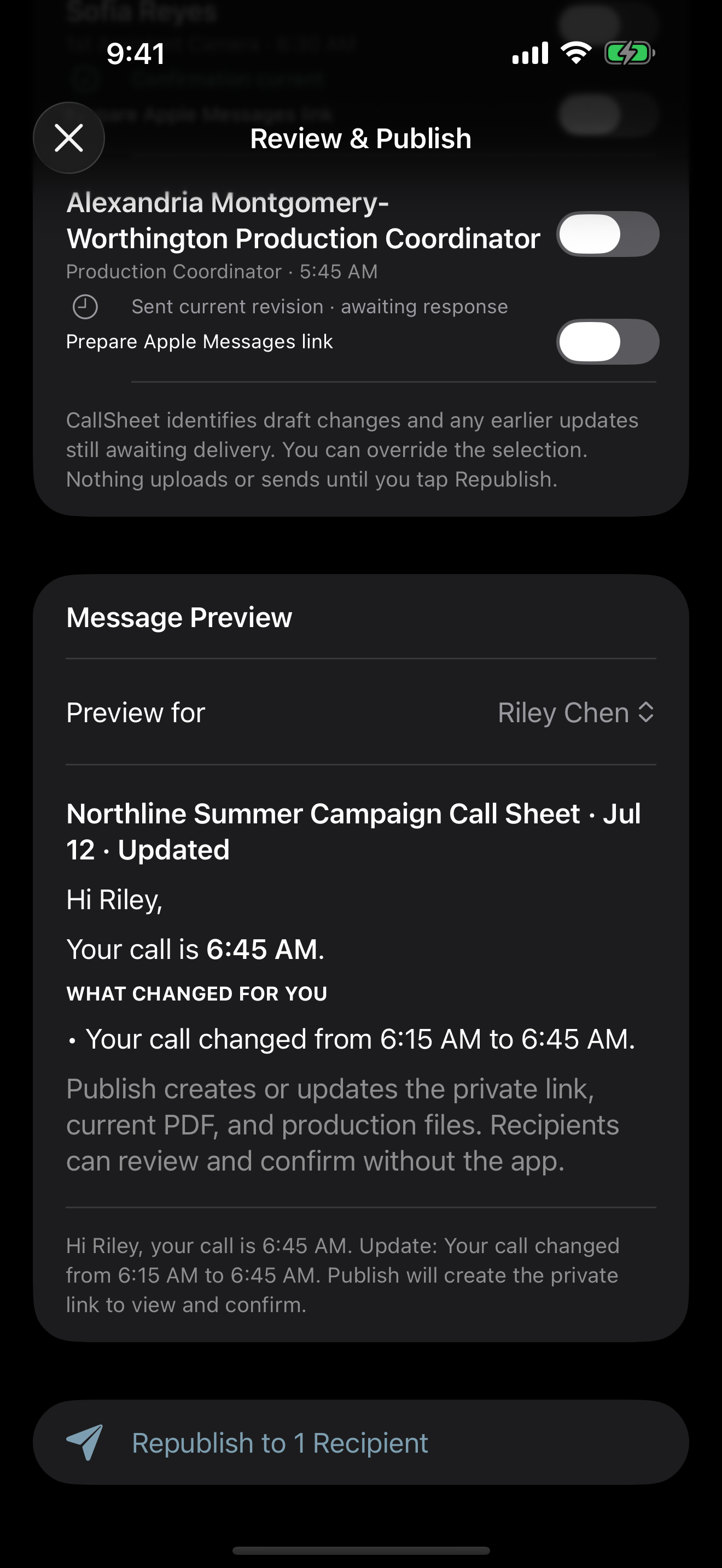
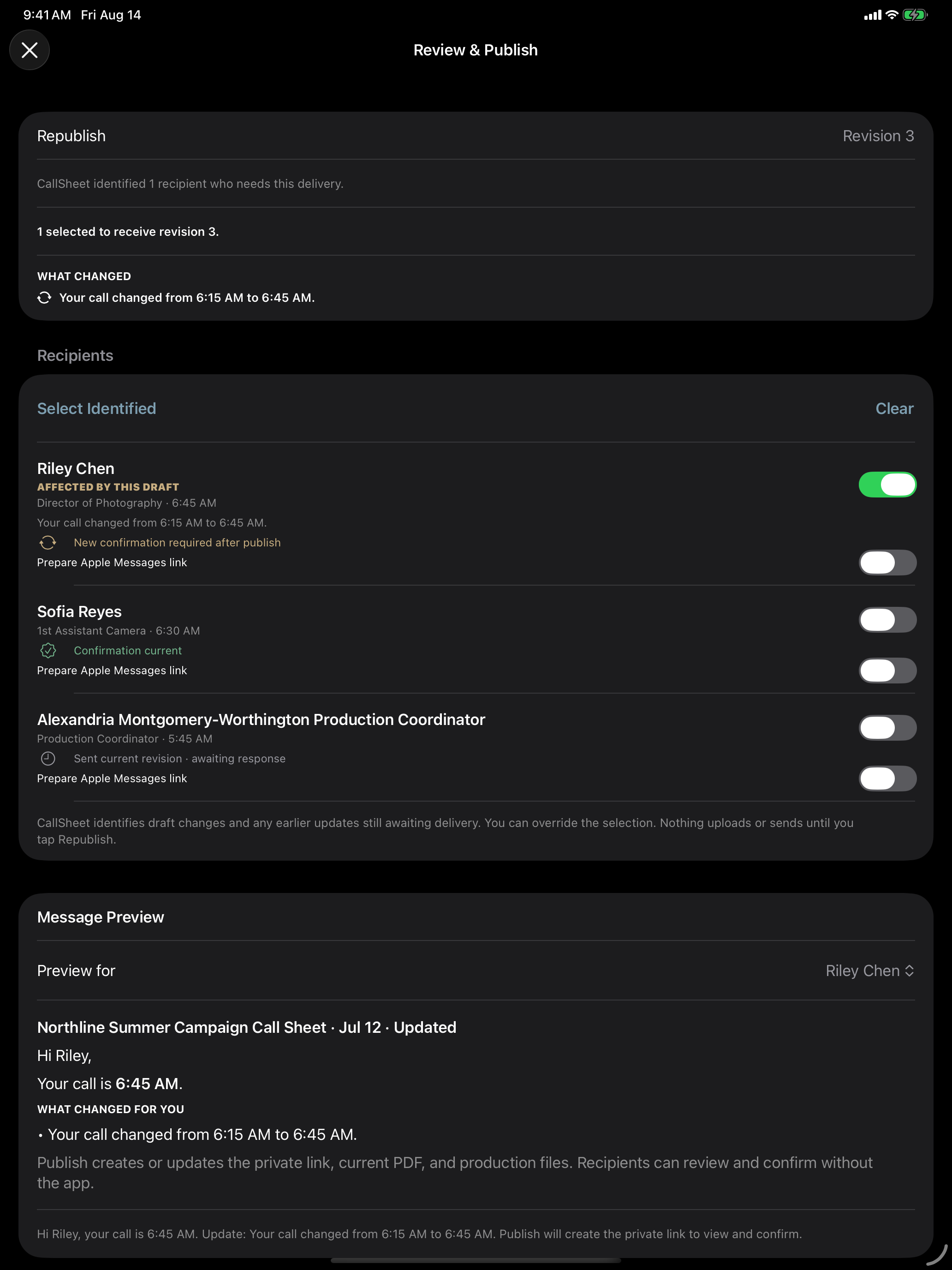
A controlled workflow compares the last published information with the proposed revision, then preselects people whose personal or shared information changed. The producer can add someone who needs context, remove someone who should not receive the update, and review the outgoing message before publishing.
03
Do not erase confirmations that are still current.
A new export does not automatically make every earlier response invalid. If a sound mixer’s call time, location, parking, safety information, and other relevant details are unchanged, production should not lose that person’s confirmation because another department received a new instruction.
The opposite rule matters just as much. When a relevant detail changes, the earlier confirmation should no longer appear current.
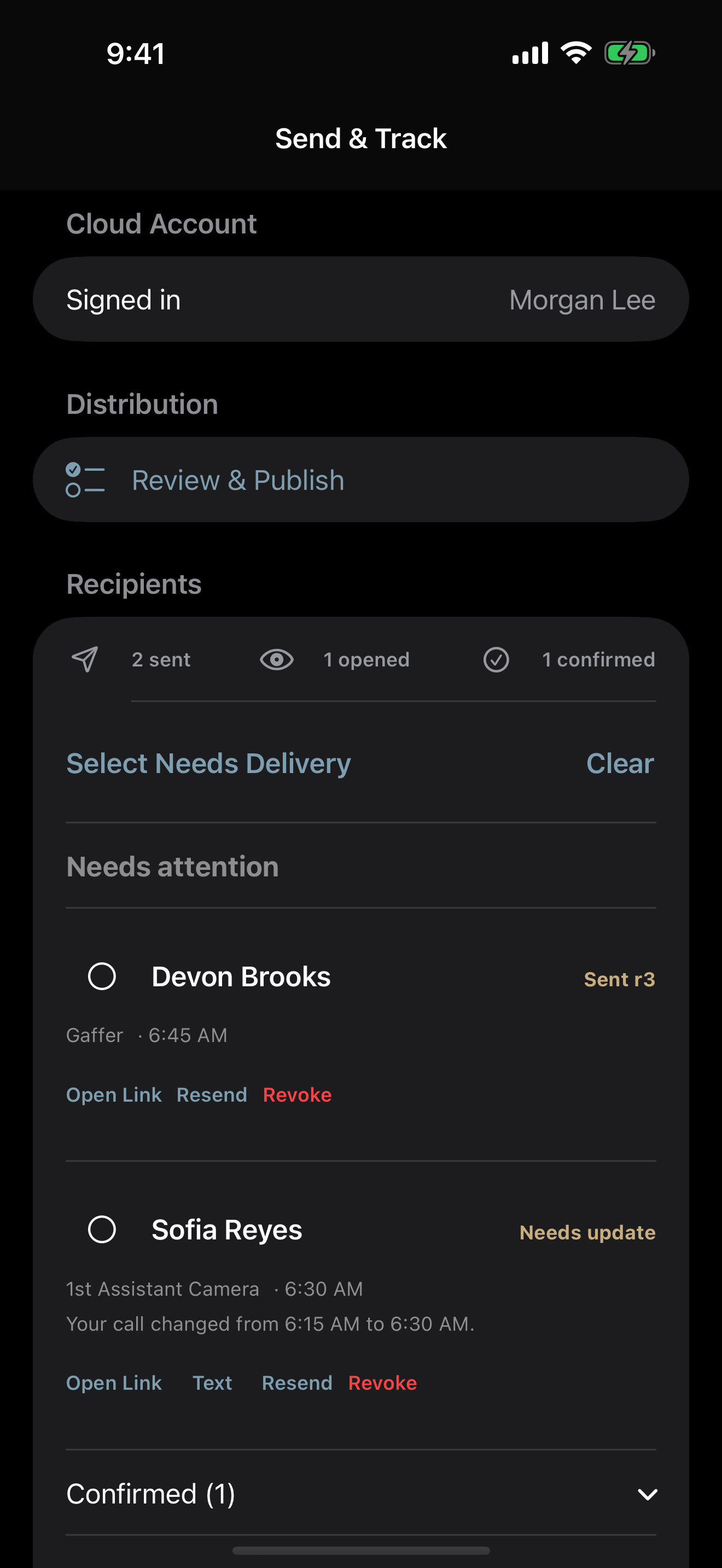
A link open should not be presented as an explicit confirmation. A confirmation should not remain current after a relevant newer change.
04
Bind the response to the information reviewed.
“Confirmed” is incomplete without a version. A useful record answers two questions: who responded, and which information did that person see before responding? When a relevant revision is published, the earlier response becomes stale and the recipient can review the current information again.
This matters even when a private link stays the same. The link can show the newest call sheet while the response record still distinguishes the current revision from an older one.
05
Give the recipient one clear current view.
Crew and cast should not have to adopt the sender’s software to read a call sheet. A private mobile link can show the current information, while the PDF remains available for downloading, printing, and established production habits.
The link does not replace the PDF. It gives production a stable path to the current information while preserving the portable document crews already understand.
06
Automation should stop before publish.
A comparison engine cannot know every production context. A department head may need an update even when their displayed fields did not change. A producer may hold a revision until another detail is confirmed. A sensitive change may need a phone call.
The useful boundary is straightforward: the tool identifies and explains likely impact; the producer decides what is published and to whom.
Before republishing
A seven-point revision check
- 01
The exact change is visible in plain language.
- 02
Personal changes and shared changes have the right scope.
- 03
Every selected recipient has a reason to receive the update.
- 04
Unaffected confirmations remain current.
- 05
Affected confirmations become stale after the revision is published.
- 06
The current PDF, private link, and production files agree.
- 07
The producer has reviewed the recipient list and message.
07
The standard is current, not merely sent.
A call sheet is an operating document for a specific group of people on a specific day. Its quality is not measured only by whether the PDF left the outbox.
The better questions are whether the right people received the current information, whether production can explain what changed, whether unaffected responses stayed valid, and whether each confirmation applies to the information that person reviewed.